

Take and Upload your photo
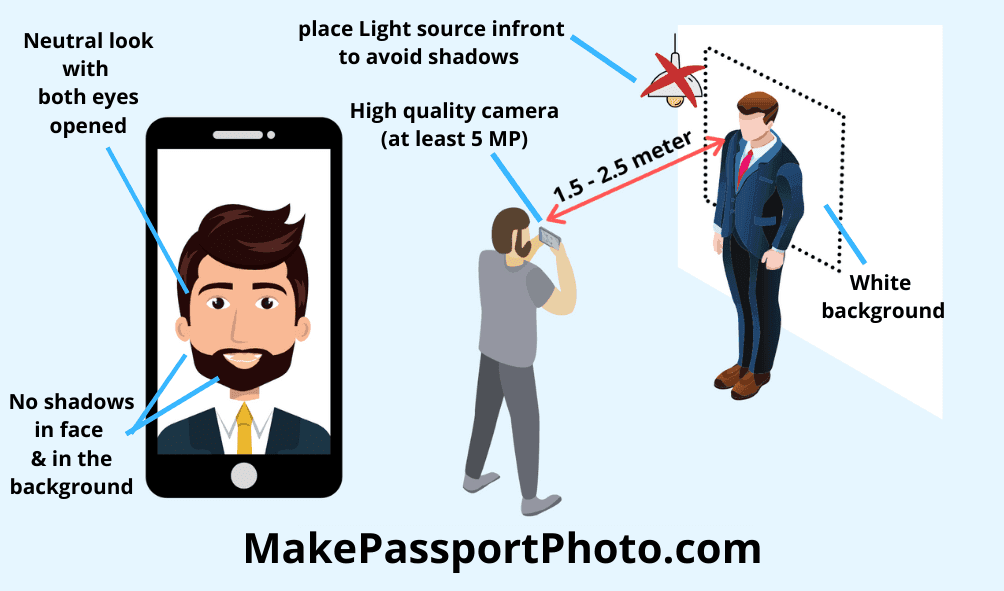
Take the perfect snap with the help of a smartphone or a camera and upload your photo
Let AI(artificial intelligence) create your perfect photo. No nonsense, no waiting time. Instant Download.

Position face within the guide, centred and upright
For better results
🇨🇲
PHOTO SIZE AND REQUIREMENTS
Cameroon Visa online photo's size and official requirements
Cameroon Visa online photo in 6x4(4R)
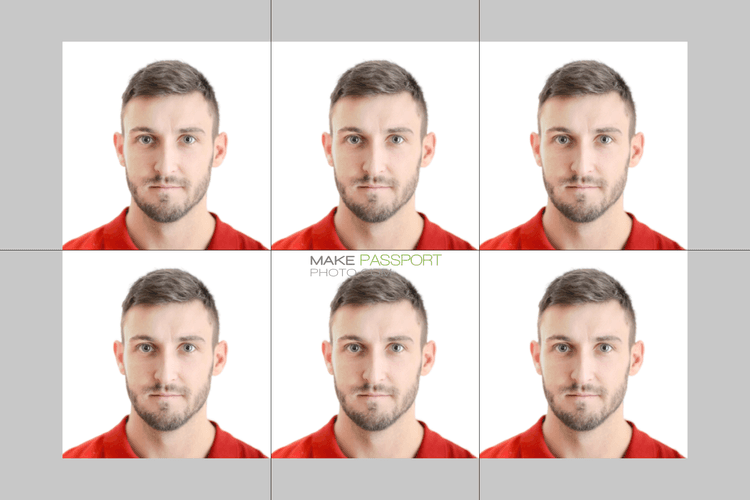
You can create a similar photo for yourself using our online Passport Photo generator.
General Guidelines
Our photo generator takes care of document specific size and biometric requirements when generating your free photo. By using the AI automatic plan you can adhere to additional requirements such as background color, face biometrics, official photo guidelines, file size, etc. specified in this page.
This Passport photo editor/creator app makes it easy to create passport photos for Cameroon Visa online of 500x500 pixel dimension or 500+ other document types online.
HOW IT WORKS
Gets done in 3 quick steps
Take and Upload your photo
Take the perfect snap with the help of a smartphone or a camera and upload your photo

Edit the photo
Effortlessly position the photo in the center with the help of our passport photo generator

Order online or download & print
You can either order prints from us or download the photo and print it on your own
FAQ
Common questions about Cameroon Visa online photo size, background, printing and cost.
Cameroon Visa online photos must be 500x500 pixel. Upload any photo here and we crop and scale it to exactly that size for you.
Yes. Any recent phone camera has far more resolution than Cameroon Visa online photos need. Stand roughly an arm and a half away from a plain, evenly lit wall, have someone else hold the phone at your eye level rather than shooting a selfie at arm's length, and avoid direct flash or a bright window behind you. Upload the result and we crop it to 500x500 pixel, position your face to the official biometric measurements and correct the background - so the only things you need to get right are sharp focus and even lighting.
Cameroon Visa online photos must be taken against a plain White background (#ffffff), with no pattern, shadow or objects visible behind you. If the wall you photographed against is not White, our AI Automatic plan replaces the background with the exact shade Cameroon requires, so you do not need a studio backdrop or a blank wall at home.
Glasses are not accepted for Cameroon Visa online photos in almost all cases - take them off before you shoot, even if you wear them every day. Head coverings are permitted only when worn for religious or medical reasons, and even then the covering must not cast a shadow on your face or hide any part of it from the bottom of your chin to the top of your forehead. Hats, headbands, sunglasses and headphones are never allowed. Check the Do's and Don'ts listed above for anything specific to this document.
The photo must have been taken within the last 6 months and must reflect how you look today. If your appearance has changed noticeably since your last photo - a new beard, a very different hairstyle, significant weight change, or glasses you no longer wear - take a fresh one. Re-using an older photo is one of the most common reasons an application is sent back.
No. Cameroon Visa online photos are submitted through an online application, so there is nothing to print or collect. Choose the single photo option and we give you one file at 500x500 pixel, kept under the 300 KB upload limit. Download it and attach it to your application form.
Creating and downloading your Cameroon Visa online photo is free - the free plan is ad-supported and there is no download charge. The AI Automatic plan costs $2.99, down from $3.99 and adds automatic background replacement, biometric face positioning and photo enhancement. Either way you download the file yourself, so there is nothing to collect and no delivery to wait for.